Physical mail still converts. Studies from the Data & Marketing Association consistently show response rates for direct mail outperforming email by a wide margin — yet most businesses avoid it because of the operational headache. Printing, stuffing, postage runs, USPS drop-offs. It's 1995 friction in a 2026 workflow.
Direct mail automation software eliminates that friction entirely. This guide breaks down exactly what these platforms do, which features actually matter, how they compare to doing it yourself or through a traditional print house, and how to pick the right one for your specific use case.
Table of Contents
- What Is Direct Mail Automation Software?
- How It Works: End-to-End Workflow
- Key Features to Evaluate
- Compliance Certifications That Matter
- Direct Mail Automation vs. Manual Mailing vs. Traditional Print Houses
- Who Actually Uses These Platforms?
- How to Choose the Right Platform
- How WriteToMail Fits In
- Sources
- FAQ
What Is Direct Mail Automation Software?
Direct mail automation software is a cloud-based platform that handles the composition, printing, postage, and physical delivery of letters, postcards, and other documents — without any manual effort from the sender.
You write (or upload) your content. The platform prints it, stuffs it in an envelope, applies postage, and hands it to the postal carrier. You never touch paper.
The "automation" part refers to two things:
- Workflow automation: A single send that previously required 12 manual steps now takes one.
- Data automation: Variable data merge means you can upload a spreadsheet of 1,000 recipients and send each one a personalized letter with their name, account number, balance, and custom language — all generated from a single template.
This is fundamentally different from a printing service or a mail fulfillment house. Those businesses require you to show up with files, minimum quantities, and lead times measured in days. Direct mail automation software is self-serve, on-demand, and often live within minutes of creating an account.
How It Works: End-to-End Workflow
Understanding the workflow helps you evaluate platforms honestly. Here's what happens behind the scenes:
Step 1: Compose or Upload Your Document
Most platforms give you two options: a built-in editor or document upload (usually PDF). Better platforms — like WriteToMail — also offer AI-powered drafting where you describe what you want and the system generates a polished letter for you.
Step 2: Add Recipient Information
For single sends, you manually enter a name and address. For bulk campaigns, you upload a CSV file. The platform maps columns in your spreadsheet to variable fields in your template — so {{FirstName}}, {{AmountDue}}, and {{AccountNumber}} each pull from the correct column.
If you want a deeper look at how that mapping process works, this guide on variable data mail merge via CSV walks through it step by step.
Step 3: Preview and Approve
Reputable platforms always show you a rendered proof before charging you. This is where you catch formatting errors, truncated addresses, or merge field mistakes before they go to print.
Step 4: Print, Stuff, and Post
The platform routes your job to a printing facility, produces the physical mail piece, envelopes it, applies postage, and injects it into the USPS mail stream.
Step 5: Delivery
USPS delivers to the recipient's address, typically within 3–7 business days for First-Class Mail.
Key Features to Evaluate
Not all direct mail automation software is built equally. Here are the features that separate genuinely useful platforms from glorified print shops with a website.
API Access
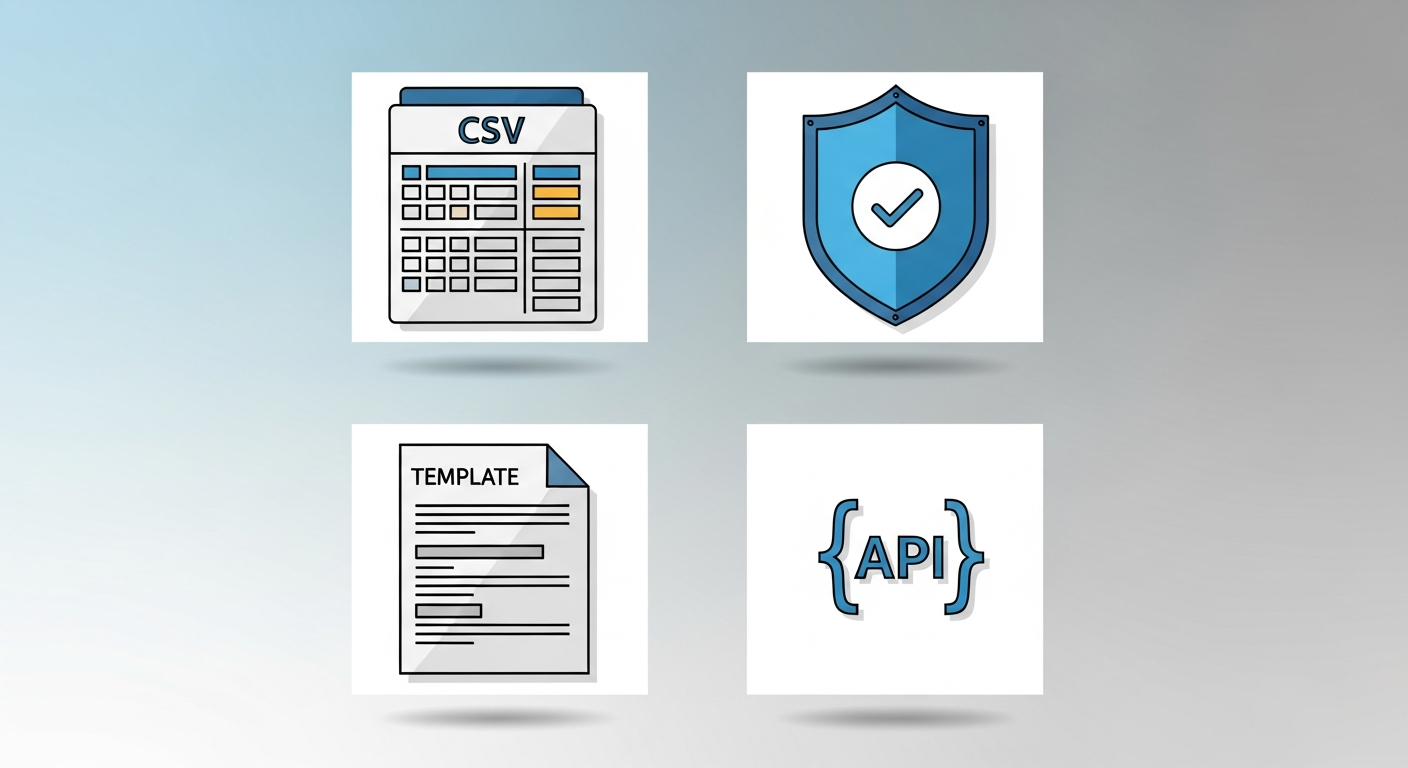
If you're a developer or want to trigger mail from inside another application — a CRM, a billing system, a court filing platform — API access is non-negotiable. A robust API lets you automate sending entirely, without anyone logging into a dashboard.
Look for REST APIs with clear documentation, sandbox environments for testing, and webhook support for delivery confirmation.
CSV Upload and Bulk Mailing
For anyone sending more than a handful of pieces, CSV upload is the workhorse feature. You should be able to upload a spreadsheet, map columns to fields, and launch a personalized campaign to hundreds or thousands of recipients in a single operation.
Key questions to ask: What's the maximum batch size? Does the platform validate addresses before sending? Can you preview individual merged letters before you commit to the full run?
WriteToMail's bulk mailing via CSV supports variable field personalization across thousands of recipients — including Name, Address, Amount Due, Account Number, and other custom fields.
Variable Data Mail Merge
This is what separates a mass mailing from a personalized one. Variable data merge lets each recipient receive a letter that references their specific situation — their name, their balance, their property address, their deadline.
From a collections standpoint, personalized demand letters get significantly higher response rates than generic form letters. The psychology is straightforward: a letter that says "Dear John, your account #4821 reflects a balance of $312 due by May 1" reads as more urgent and credible than "Dear Valued Customer."
Template Library
Pre-built templates for common use cases — demand letters, cease and desist notices, past-due payment notices, formal complaints — dramatically accelerate launch time. You shouldn't need a copywriter to send a standard collections notice.
AI-Powered Drafting
A newer capability, but increasingly a differentiator. Platforms with AI drafting let you describe what you want in plain language and generate a polished, correctly formatted letter instantly. This is especially valuable for low-volume senders who don't have a legal or copywriting team.
PDF Upload and Mail
Sometimes you already have the document. Maybe your attorney drafted it, or your billing system exports invoices as PDFs. The ability to upload an existing PDF and have it printed and mailed — without re-creating it in some proprietary editor — is a major time saver.
Postcard Support
Letters aren't the only format. Postcards are useful for marketing campaigns, appointment reminders, and mass outreach where brevity is an asset. Not every platform supports postcard sending, so confirm this if it's relevant to your use case.
Check Mailing
Sending physical checks by mail is a niche but legitimate need — for refunds, vendor payments, settlement distributions. Some platforms, including WriteToMail, handle this entirely online.
Compliance Certifications That Matter
Compliance isn't a checkbox exercise. If you're sending documents with personal financial information, medical data, or legal notices, the platform handling your data needs verifiable certifications.
SOC 2 Type II
SOC 2 (Service Organization Control 2) is the baseline trust standard for SaaS platforms that handle sensitive data. Type II certification means an independent auditor reviewed the platform's security controls over an extended period — not just a point-in-time snapshot.
Any platform processing financial account numbers, balance information, or personal identifiers should be SOC 2 compliant. WriteToMail is SOC 2 compliant for printing and data handling.
HIPAA Compliance
Healthcare organizations sending patient correspondence — billing statements, appointment notices, explanation of benefits — have strict legal obligations under HIPAA. A HIPAA-compliant mail platform has the technical and administrative safeguards to handle Protected Health Information (PHI) lawfully.
For more on what HIPAA compliance actually requires in a physical mail context, this breakdown of HIPAA-compliant physical mail for healthcare organizations is worth reading if you work in healthcare billing or patient communications.
WriteToMail offers a HIPAA-compliant physical mail service — a meaningful differentiator for medical practices and healthcare billing departments.
FDCPA Awareness (For Collections)
If you're sending debt collection notices, the Fair Debt Collection Practices Act (FDCPA) governs what you can say, how it must appear on the envelope, and required disclosures. The platform itself doesn't make you compliant — that's on your legal team — but the platform must support the formatting and delivery standards your notices require.
Direct Mail Automation vs. Manual Mailing vs. Traditional Print Houses
Three options exist. They're not equivalent.
Manual Mailing
You print, fold, stuff, stamp, and drive to the post office. For one or two letters, this is fine. For 50 or more, it's a half-day task. At 500 pieces, it's a logistics project requiring supplies, staff time, and a trip to a bulk mail facility.
Cost per piece looks cheap in isolation, but factor in labor and it's rarely the economical choice beyond a handful of sends.
Traditional Print Houses
Commercial printers can produce high volumes at low per-piece costs. The tradeoffs: minimum order quantities (often 500–5,000 pieces), 5–10 day lead times, separate postage coordination, and zero self-service. You're also managing a vendor relationship, not a software tool.
Print houses make sense for very high-volume, low-urgency campaigns where you have a dedicated marketing operations function. They're poorly suited for on-demand, time-sensitive, or variable-data use cases.
Direct Mail Automation Software
No minimums (most platforms), no lead time beyond print-and-delivery, self-serve, variable data capable, and accessible to non-technical users. The per-piece cost is higher than a print house at scale, but the total cost — including labor, time, and operational overhead — is almost always lower for anything under several thousand pieces per month.
For a detailed platform comparison across six leading options, this breakdown of the best bulk mail services online covers pricing, features, and compliance side by side.
Who Actually Uses These Platforms?
Accounts Receivable and Collections Teams
AR departments send past-due notices, final demand letters, and pre-litigation collection notices. The combination of CSV bulk upload and variable data merge means a single AR coordinator can send 1,000 personalized payment demands in the time it used to take to stuff 10 envelopes.
Law Firms
Attorneys send demand letters, cease and desist notices, client correspondence, and legal notifications. Physical mail creates a documented paper trail that email cannot replicate. Direct mail for law firms has become a genuine operational efficiency play — especially for practices that previously relied on paralegals to manage routine mailing.
Property Managers and Landlords
Lease violations, past-due rent notices, eviction pre-notices — all of these have legal standing requirements that favor USPS physical mail. For portfolios with dozens or hundreds of units, bulk CSV mailing is the only practical approach.
Healthcare Organizations
Patient billing statements, appointment reminders, and insurance correspondence. HIPAA-compliant platforms are mandatory in this vertical, which narrows the field considerably.
Small Businesses
Any business that invoices clients, sends formal complaints, or needs to escalate an issue in writing benefits from having a mailing tool that takes under five minutes to use.
How to Choose the Right Platform
Start with your use case, not the feature list.
If you send fewer than 50 pieces per month: Ease of use and per-piece cost matter most. You don't need an enterprise API — you need a clean interface and fast turnaround.
If you send 50–5,000 pieces per month: CSV bulk upload and variable data merge become critical. Make sure the platform supports the volume you need and the personalization depth your workflow requires.
If you're in a regulated industry: HIPAA and SOC 2 certifications are non-negotiable. Verify these — don't just take a vendor's marketing copy at face value. Ask for documentation.
If you need developer integration: API access is the deciding factor. Evaluate the quality of documentation, not just whether an API exists.
If speed to launch matters: Look for platforms with no-code workflows, AI drafting, and pre-built templates. Some platforms require IT setup and onboarding calls before you can send your first piece. Others let you send in minutes.
Five questions to ask every vendor:
- What's your per-piece cost, including postage, at my expected volume?
- Are you SOC 2 Type II certified? Can I see the report?
- What's your maximum CSV batch size?
- How does variable data merge work, and what fields are supported?
- What's the typical time from order to USPS injection?
How WriteToMail Fits In
WriteToMail is built for speed. The platform is designed so that someone with no technical background can go from zero to a mailed letter — or a mailed bulk campaign — without a sales call, an onboarding session, or a printer in sight.
Key capabilities relevant to buyers evaluating direct mail automation software:
- AI-powered letter drafting: Describe what you want, and the system generates a polished letter ready to mail.
- No-code CSV campaigns: Upload a spreadsheet, map your columns to variable fields, preview individual merged letters, and launch — no developer required.
- Variable data mail merge: Personalize at scale with fields like Name, Address, Amount Due, Account Number, and custom text pulled directly from your CSV.
- PDF upload and mail: Upload an existing PDF and have it printed and mailed via USPS First-Class Mail.
- Template library: Demand letters, cease and desist notices, formal complaints, and cover letters — ready to customize.
- Check sending: Send physical checks by mail entirely online.
- SOC 2 compliant and HIPAA-compliant: Certified for sensitive data handling, relevant for financial and healthcare use cases.
- Postcard support: Single or bulk postcard sending via USPS.
For businesses comparing options, WriteToMail's combination of AI drafting, no-code bulk workflows, and compliance certifications makes it the fastest path from intent to sent mail — particularly for teams that can't afford to spend weeks onboarding a new platform.
Explore how online print-and-mail services work end-to-end for a broader look at the workflow before you commit to any platform.
Sources
- Data & Marketing Association — Response Rate Report — industry data on direct mail response rates vs. digital channels
- AICPA — SOC 2 Overview — definition and standards for SOC 2 Type II certification
- U.S. Department of Health & Human Services — HIPAA for Professionals — authoritative source on HIPAA compliance requirements
- Federal Trade Commission — FDCPA Overview — Fair Debt Collection Practices Act requirements for collection correspondence
- USPS — First-Class Mail Service Standards — delivery standards and specifications for USPS First-Class Mail
FAQ
What is direct mail automation software used for?
Direct mail automation software is used to send physical letters, postcards, and other documents via USPS — without printing, stamping, or visiting the post office. Common use cases include debt collection notices, demand letters, healthcare correspondence, tenant notifications, and marketing campaigns.
How does variable data mail merge work in direct mail software?
You upload a CSV spreadsheet where each row represents a recipient. Columns in the spreadsheet (like FirstName, AmountDue, AccountNumber) map to placeholder fields in your letter template. The platform generates a unique, personalized letter for each row before printing and mailing.
Is direct mail automation software HIPAA compliant?
Not by default — compliance depends on the specific platform. WriteToMail offers a HIPAA-compliant physical mail service, which means it has the technical and administrative controls to handle Protected Health Information lawfully. Always verify certification documentation before sending patient data through any platform.
How fast can I send a letter using direct mail automation software?
Most platforms, including WriteToMail, let you compose and submit a letter for mailing within minutes of creating an account. USPS First-Class Mail delivery typically takes 3–7 business days from the time the platform injects the piece into the mail stream.
What's the difference between direct mail automation software and a traditional print house?
Print houses require minimum order quantities, multi-day lead times, separate postage arrangements, and a vendor relationship. Direct mail automation software is self-serve, on-demand, and requires no minimums — making it better suited for variable-data, time-sensitive, or lower-volume use cases.
Do I need an API to use direct mail automation software?
No. Most platforms — including WriteToMail — offer no-code interfaces for single sends and CSV-based bulk campaigns. API access is valuable for developers who want to trigger mail programmatically from a CRM, billing system, or other application, but it's not required for typical business workflows.
How much does direct mail automation software cost?
Pricing varies by platform and volume. Most charge per piece (including postage), with rates typically ranging from $1.00 to $2.50 per piece for standard letters at moderate volumes. Visit WriteToMail's pricing page for current rates.